VS Code extension

Codex Statusline

A local-first VS Code extension that watches Codex rollout logs and turns recent agent activity into a compact status bar item, dockable activity view, and sanitized event details.

Version 0.0.1 Visual Studio Marketplace Free MIT
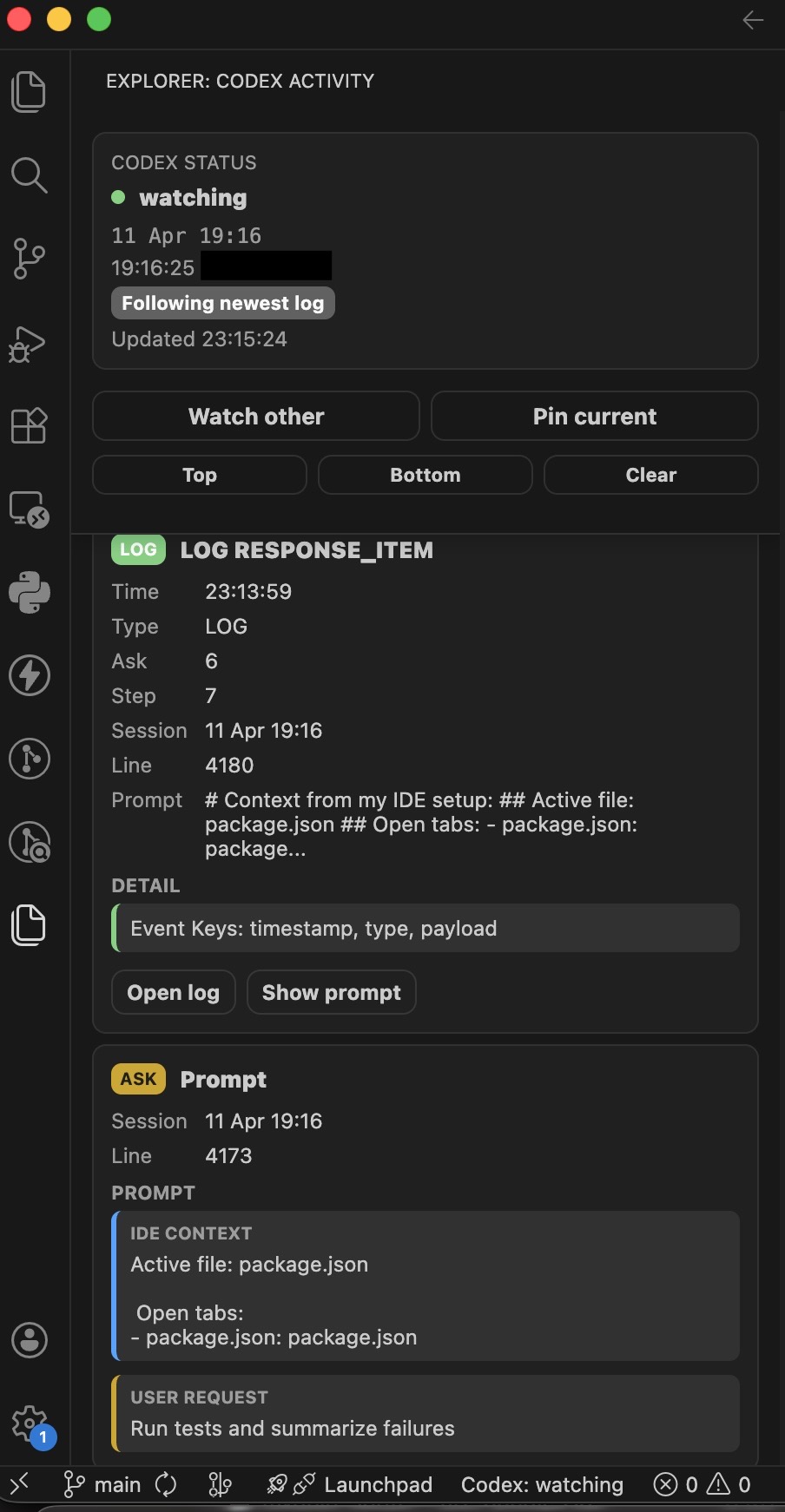
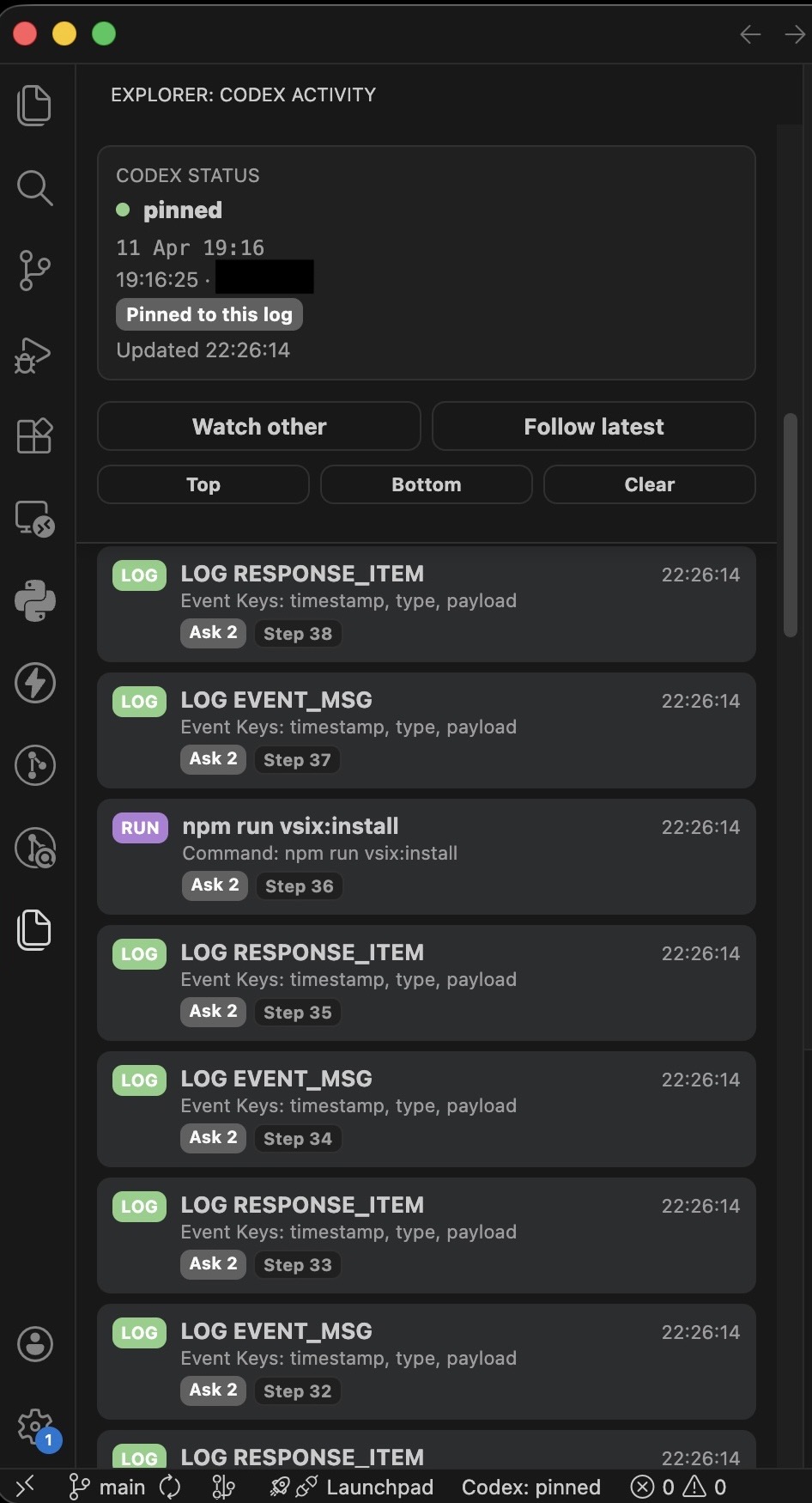
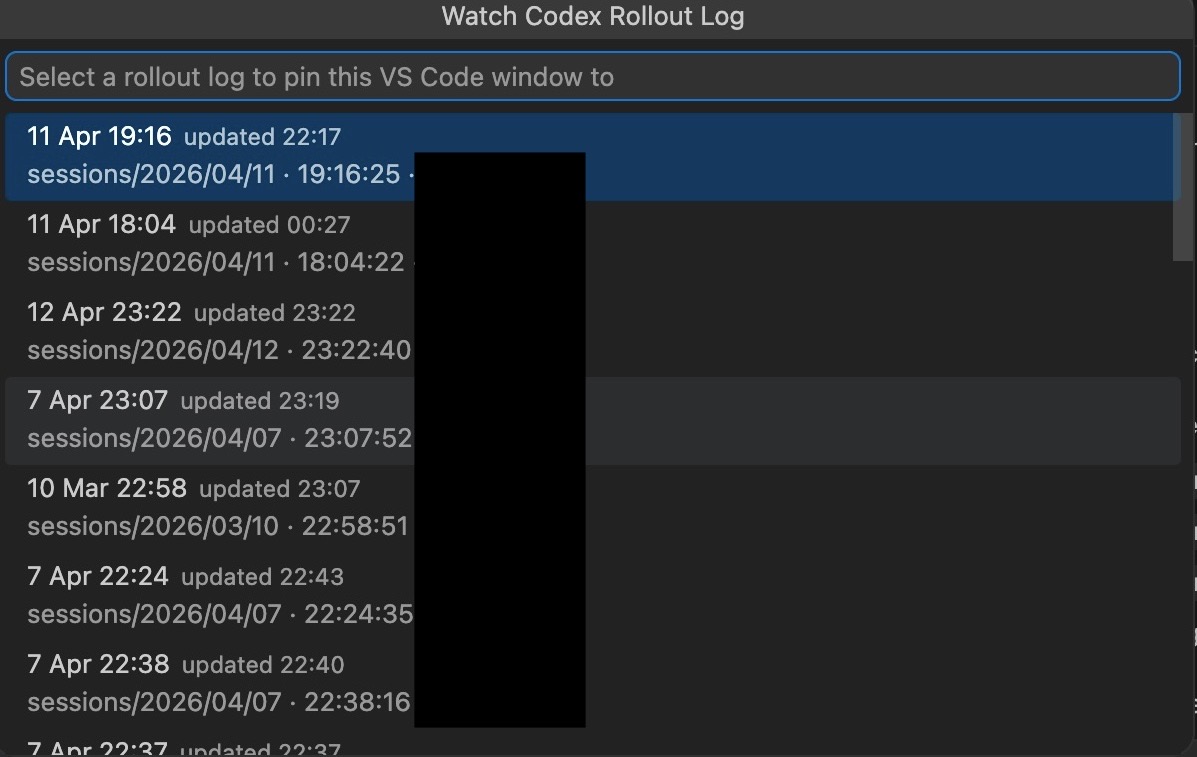
Codex Statusline extension icon Codex Activity view showing pinned status and recent sanitized activity Watch Another Log picker with friendly rollout labels
What it solves

Codex feels less opaque while it works.

The extension follows local rollout JSONL files under the Codex sessions directory, then shows bounded operational summaries instead of raw logs. It is built for the ordinary moment when an agent is busy and you want a quick read on what is happening.

Pinned sessions Follow latest Sanitized details
Best for

Codex users who run local sessions and want status, recent activity, and quick log navigation inside VS Code.

Install command

ext install jacsteyn.codex-statusline-vscode

Core features

Small surface, useful signal.

Compact Codex activity without sending log data anywhere.

Status bar signal

Shows states such as pinned, running command, watching, or no log found without opening the raw rollout file.

Codex Activity view

Adds a dockable Explorer view with recent ASK, RUN, EDIT, TOOL, and LOG rows plus richer detail on selection.

Multi-session control

Starts pinned to a detected rollout log, with commands for Watch Another Log, Pin Current Log, and Follow Latest.

Log handling

Built for real rollout files.

Codex Statusline discovers rollout logs under ~/.codex/sessions, reads a bounded slice of recent history when a log is first watched, tails appended bytes, handles partial trailing lines, and recovers from truncation.

Cross-platform notes

macOS, Linux, and Windows paths.

The default sessions root is configurable, with macOS and Linux using ~/.codex/sessions and Windows using %USERPROFILE%\.codex\sessions.

Privacy posture

Local-first by design.

The extension reads local Codex rollout logs from your machine and does not send log data to any service.

Sanitized activity

Normal UI output favors compact operational summaries and suppresses assistant and system message events.

Prompt previews

User prompt previews can appear as ASK rows, so screenshots and screen recordings should still be treated carefully.

Explicit raw log access

Opening a rollout log from the detail view is an intentional local action for deeper inspection.

Full payloads are opt-in

Raw JSON for unrecognized events is hidden unless the debugging setting is explicitly enabled.

Screenshots

Activity at a glance.

Marketplace screenshots from the public extension release.

Architecture

Conservative pieces.

The project is split around configuration, log discovery, tailing, parsing, target selection, and the VS Code webview surface.

Watcher pipeline

Configuration, rollout discovery, tailing, parsing, status bar updates, and optional output-channel diagnostics.

Defensive parser

Recognizes a conservative subset of event shapes and keeps unknown raw payloads out of the default UI.

Tested behavior

Unit and integration coverage for parser sanitization, log discovery, tailing, display formatting, and command registration.

Release

Available on the Visual Studio Marketplace.

The first public release is version 0.0.1 under publisher Jac Steyn.

Marketplace: jacsteyn.codex-statusline-vscode Repository: jacsuper/codex-statusline-vscode Requires VS Code 1.92.0+